The stage looked perfectly steady from the back of the venue, but the camera monitor told a different story. Blue light behind the singer was pulsing, a dark horizontal bar was climbing through the LED wall, and every few seconds the wide shot seemed to lose half a stop. During soundcheck, I stood beside the lighting operator and compared the room with the recorded feed. The difference was not subtle, yet nobody watching with unaided eyes could see it.
This is the central difficulty with LED stage lighting: the audience and the camera do not observe light in the same way. Solving the problem requires identifying the artifact, testing the actual camera and fixtures together, and changing one timing variable at a time.
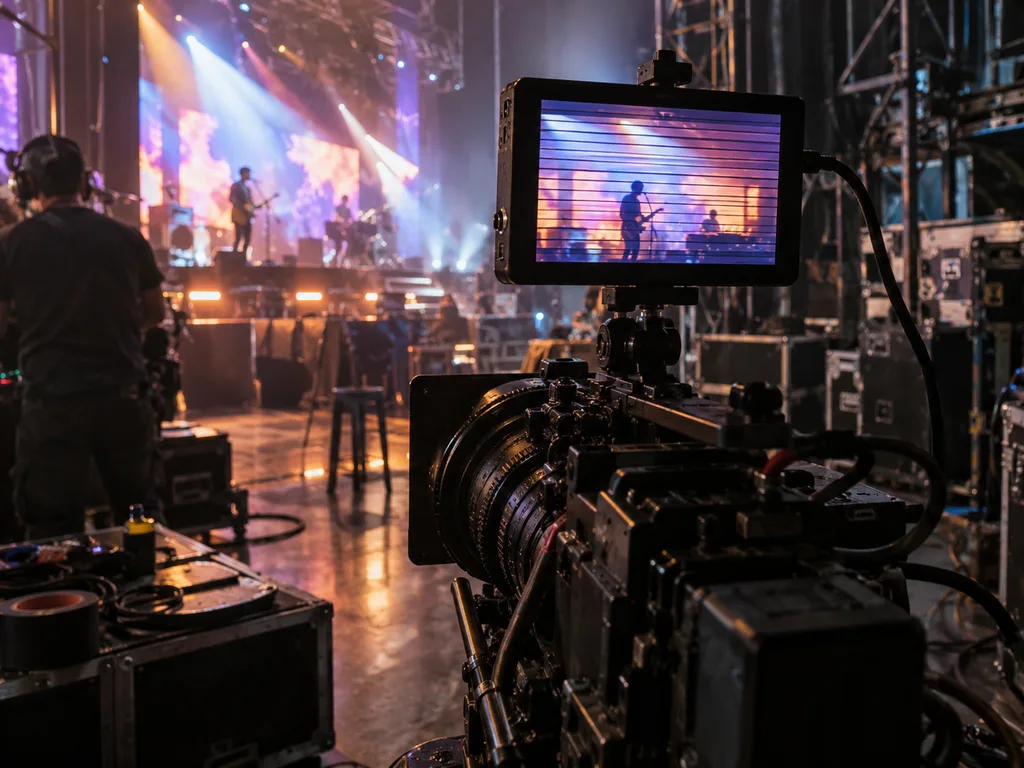
Why Do LED Stage Lights Flicker on Camera?
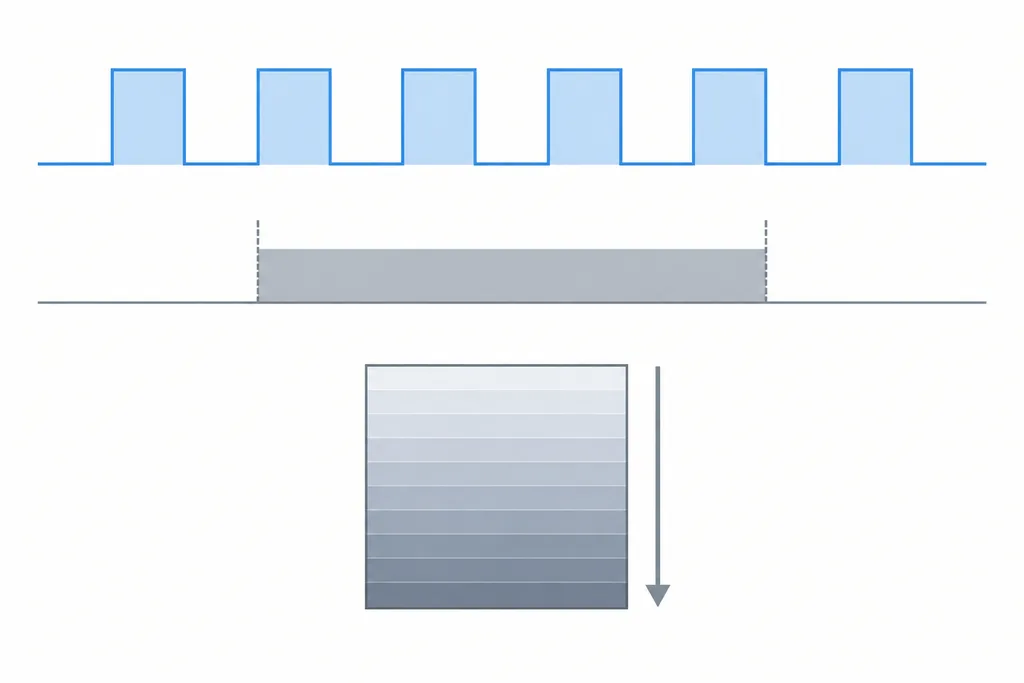
Many LED fixtures regulate brightness by switching their output rapidly rather than producing an absolutely continuous stream of light. If the camera’s exposure intervals do not align favorably with that modulation, one frame may collect more light than another. A rolling-shutter sensor can make the mismatch visible within a single frame because different rows are sampled at different moments.
The result may be whole-image pulsing, fixed horizontal stripes, or a dark or bright bar moving vertically. The exact appearance depends on fixture electronics, dimming level, color settings, camera frame rate, exposure time, and sensor readout speed. Consequently, there is no universal shutter setting that makes every combination safe.
Why Can the Audience See Steady Light While the Camera Records Flicker?
Human vision tends to blend rapid changes into apparently continuous light. A camera divides time into distinct exposures and records those samples precisely. Modulation that passes unnoticed in the room can therefore become obvious when footage is played back, especially on a large display or in slow motion.
This is why I trust the camera feed over a visual inspection of the stage. I record a clip and play it back rather than relying only on a live preview, since compression, monitor scaling, and viewing size can conceal a weak band until it becomes expensive to correct.
What Do PWM and LED Refresh Frequency Have to Do With It?
Pulse-width modulation, or PWM, controls apparent brightness by switching LEDs on and off and changing the proportion of each cycle spent on. At lower output, the off portion may become longer, making the modulation easier for a camera to detect. Driver designs differ, however, and some fixtures use other dimming methods or alter their behavior according to intensity and color mode.
Refresh frequency describes how rapidly this activity repeats. A higher frequency often reduces visible artifacts, but it does not guarantee compatibility with every exposure or readout pattern. ETC’s explanation of frame rate and LED flicker likewise emphasizes the interaction between fixture refresh and camera timing, followed by testing under real shooting conditions.
Is the Problem Flicker, Rolling-Shutter Banding, or Something Else?
Diagnosis comes before correction. Lock exposure, ISO, white balance, and aperture, then observe whether the artifact remains consistent. Automatic exposure can resemble light pulsing when bright costumes, projections, or spotlights enter the frame. Intentional chases and strobes should also be confirmed with the lighting director before anyone treats them as faults.
What Does Whole-Frame Flicker Look Like?
Whole-frame flicker appears as repeated changes in overall brightness or, with RGB fixtures, a possible color shift from frame to frame. Compare several consecutive frames while looking at a neutral wall or evenly lit part of the stage. If the entire area rises and falls together after automatic settings have been disabled, a timing conflict is a strong possibility.
What Do Horizontal Bands or Rolling Bars Look Like?
Banding produces bright or dark horizontal regions because a rolling shutter reads the sensor from top to bottom rather than capturing every row simultaneously. Each row may encounter a different phase of the fixture’s output. A moving bar is the same timing conflict drifting across successive frames.
Band direction, width, and speed can change when either the shutter or fixture frequency changes. By contrast, soft hunting around a performer is more likely a focus problem; guidance on tracking autofocus during movement helps distinguish that behavior from illumination artifacts.
Could the Camera’s Electronic Shutter Be Making the Problem Worse?
Yes, although an electronic shutter is not automatically the cause. Fully electronic modes commonly use line-by-line readout, so they can reveal different illumination levels across the frame. Electronic-first-curtain and mechanical modes behave differently, but neither should be assumed immune. The practical distinctions among these systems are covered in Photosolve’s guide to camera shutter types and artificial-light banding.
How Do Frame Rate and Shutter Speed Interact With LED Stage Lights?
Frame rate determines how often frames begin, while shutter speed determines how long each frame gathers light. Shutter angle expresses the same exposure relationship relative to the frame period: at 24 fps, a 180-degree shutter is approximately 1/48 second; at 60 fps, it is approximately 1/120 second. Sensor readout adds another clock that may influence banding.
Should You Start With a 180-Degree Shutter?
A 180-degree shutter is a sensible creative baseline because it usually produces familiar motion blur, but it is not an anti-flicker rule. Start there when motion rendering matters, record a test, and then make small adjustments while watching for both bands and changes in movement. The cleanest technical setting may require a modest motion-blur compromise.
When Should You Try 1/50, 1/60, 1/100, or 1/120?
These values are useful starting points in 50 Hz or 60 Hz electrical environments and with lighting whose output remains related to mains timing. Modern LED drivers can operate at very different frequencies, however, so none is a guaranteed cure. Test the show’s intended frame rate first, then compare nearby shutter values and review recorded clips at normal speed and frame by frame.
Why Can a Faster Shutter Reveal More LED Artifacts?
A longer exposure can average several light-output cycles into one frame. A shorter exposure samples a narrower portion of a cycle, making differences between frames or sensor rows more distinct. Faster shutters can therefore expose modulation that was previously averaged away. This does not mean a slow shutter is always better, because excessive blur may make performance footage unusable.
How Can You Fix LED Flicker During a Live Shoot?
How Should You Test the Lights During Soundcheck?
Test the exact stage states planned for the performance, including dim looks, saturated colors, LED-wall content, practical fixtures, and full-output cues. A lamp that behaves cleanly in bright white may show artifacts when dimmed deeply or when only one color channel is active.
I frame a broad view containing several fixture types, lock all automatic camera controls, and record ten to fifteen seconds for each important cue. I then inspect the actual output on a reliable monitor. Exposure tools such as camera-monitor false color can make small brightness changes and clipped highlights easier to judge, although playback remains essential.
Which Camera Settings Should You Change First?
Keep the intended frame rate and change shutter speed or angle in small increments. If that fails, test another suitable camera mode whose electronic or mechanical behavior differs. Adjust only one variable per clip and label each test verbally or on a slate. Changing frame rate, shutter, ISO, and fixture intensity simultaneously may produce a clean image without revealing which decision fixed it.
When Should You Adjust the Fixture’s PWM or Frequency Setting?
If the console or fixture provides a documented refresh-rate, PWM, camera, or high-speed mode, ask the lighting operator to test it. Do not enter service menus or modify electrical hardware. Some entertainment fixtures provide camera-oriented modes; for example, ETC describes high-frequency options among its entertainment-fixture technologies. That is a manufacturer-specific capability, not a universal promise that every fixture-camera combination will be clean.
What Should You Ask the Lighting Operator or Rental House?
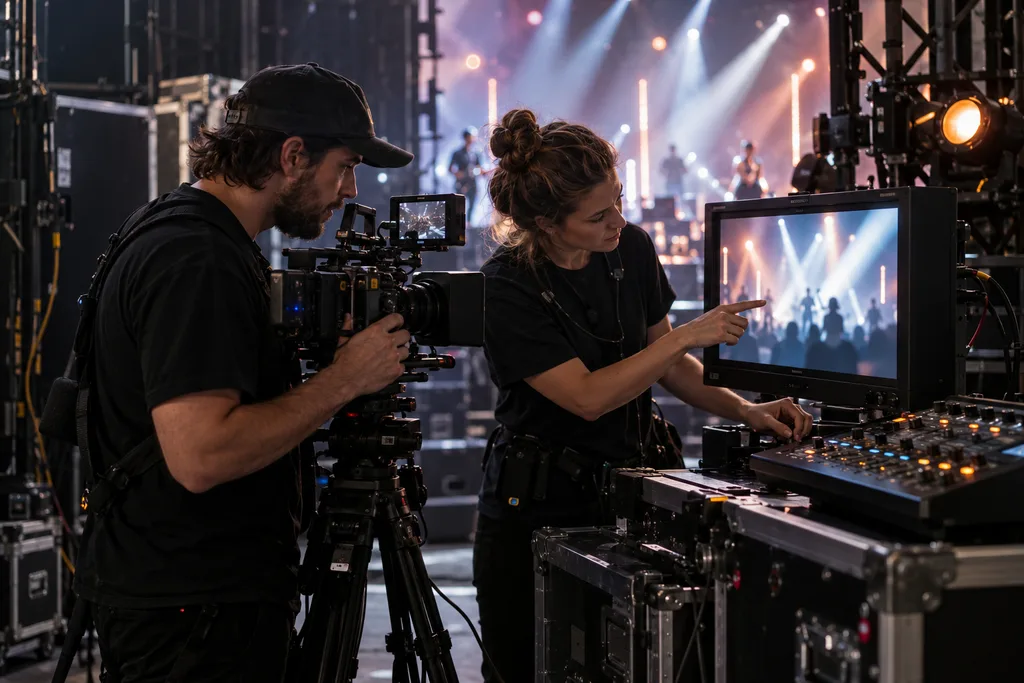
Ask for the fixture model, firmware version, active dimming mode, available PWM or refresh choices, and whether frequency changes affect dimming smoothness or noise. Also ask whether LED walls and house fixtures are controlled separately. A cooperative operator can often save more time than blind shutter experimentation because they know which devices share a configuration.
What Should You Do When the Fixture Frequency Cannot Be Changed?
Can Changing Frame Rate or Shutter Angle Solve the Problem?
Often, but creative requirements come first. Try neighboring shutter angles before abandoning the delivery frame rate. If the production permits 25 instead of 24 fps, or 30 instead of another rate, test that option rather than assuming it will work. Confirm audio synchronization and delivery specifications before committing to a frame-rate change.
Can a Mechanical Shutter or Global-Shutter Camera Help?
A global-shutter camera exposes the frame more uniformly and can prevent row-by-row rolling bands, but it can still record whole-frame brightness variation. A mechanical shutter may reduce some banding patterns, depending on its travel and timing, yet it is not a complete remedy. Test the exact mode rather than relying on the category name.
Why Is ND Usually Not the First Flicker Fix?
Neutral-density filtration changes the amount of light reaching the sensor, not the fixture’s modulation frequency. It can indirectly help if it permits a longer exposure while preserving aperture and ISO, but the improvement comes from the shutter change. Treat ND as exposure control, not as an independent flicker correction.
How Can You Prevent Flicker Before the Next Concert?
What Should Be Included in a Camera-and-Lighting Test?
Use the intended camera, recording mode, lenses, monitoring path, and fixture cues. Test wide shots, because narrow bands may be easier to recognize across a large uniform LED wall, and close-ups, because facial exposure changes are especially distracting. Include the darkest programmed intensity and any slow fades where driver behavior may change.
Which Settings and Fixture Details Should You Record?
Document frame rate, shutter value, shutter mode, resolution, crop or readout mode, fixture model, dimming level, color state, refresh setting, and successful cue. A short reference clip is more useful than a note saying only “flicker fixed.” I keep these combinations with the camera report so the next soundcheck begins with evidence rather than memory.
What Is the Fastest On-Site LED Flicker Troubleshooting Checklist?
- Confirm the artifact in recorded footage, not only by eye.
- Disable automatic exposure and white balance.
- Test the required frame rate at the current shutter setting.
- Vary shutter speed or angle gradually and record each result.
- Try a different shutter or sensor-readout mode when practical.
- Ask about fixture PWM, refresh, camera, or high-speed settings.
- Retest the actual intensity, color, and cue used in the show.
- Save the clean combination in the camera report.
Frequently Asked Questions About LED Stage-Light Flicker
Do All LED Stage Lights Flicker on Camera?
No. Driver design, refresh frequency, dimming method, output level, and camera timing determine whether an artifact becomes visible. Two fixtures that appear similar in the room may record very differently.
Does 50 Hz or 60 Hz Power Explain Every LED Flicker Problem?
No. Mains frequency can matter, but internal LED drivers may modulate output at much higher or unrelated frequencies. It is one diagnostic clue, not a complete explanation.
Will Higher Frame Rates Always Make Flicker Worse?
No. Higher frame rates usually require shorter exposures, which may reveal modulation, but the outcome still depends on fixture frequency, shutter angle, and sensor readout. High-speed capture needs dedicated testing.
Can Post-Production Remove LED Flicker Completely?
Deflicker tools may reduce regular brightness variation, but moving bands, changing colors, clipped highlights, and missing exposure information are difficult to reconstruct. Processing can also introduce ghosting or uneven texture. Capture a clean signal whenever possible.
Is a “Flicker-Free” Fixture Guaranteed to Work With Every Camera?
No. The label usually describes performance under specified conditions, not every possible frame rate, shutter angle, dimming level, or readout system. Verify the claim through the production camera at the programmed show settings.
In summary, determine whether you are seeing whole-frame modulation, rolling bands, automation, focus behavior, or an intentional cue; lock the camera, test one timing variable at a time, and involve the lighting operator when fixture controls are available. The decisive evidence is always the recorded camera feed under the conditions the audience will actually see.